
Instagram Automation with Meta API: The Complete Business Guide
Discover expert strategies for Instagram automation with Meta API—boost engagement, generate leads, and scale growth using Zapify.





Quick Answer: Instagram automation with the Meta API allows businesses to streamline engagement, automate DMs, moderate comments, and capture leads while remaining compliant with Instagram's platform rules. Modern tools, like Zapify, combine AI and native Meta integrations to deliver efficient, safe, and scalable results for brands, agencies, and entrepreneurs looking to grow.
Table of Contents
What Is Instagram Automation?
Instagram automation refers to using software solutions—built on the official Meta API—to manage repetitive or complex Instagram activities at scale. Common tasks include replying to comments, sending Direct Messages (DMs), moderating comments, scheduling content, and capturing leads from interactions. Automation is a critical part of modern Instagram marketing for any business that wants to maximize efficiency while respecting Instagram’s terms of service.
What Does Meta API Compliance Mean?
Meta (formerly Facebook) provides APIs that allow approved third-party apps to safely interact with Instagram accounts, enabling advanced features like automated DMs, comment replies, and analytics. Meta API compliance means your automation is reliable, secure, and less likely to get you banned—key for brands that care about reputation and data security.
Why Use Meta API for Instagram?
- Reliability: Meta API connections are stable, reducing the risk of blocked features or account bans often seen with unofficial apps.
- Security: Data remains encrypted and only accessible to approved tools. This is vital for protecting your followers and brand.
- Advanced Features: The Meta API enables deep automation far beyond basic scheduling or bulk likes—think AI-powered DMs, lead capture, and multi-channel workflows.
- Analytics & Insights: Access detailed, actionable analytics to inform your Instagram strategy and content creation.
Key Instagram Automation Features Explained
Not all automation tools are created equal. Here’s what’s available using Meta API-compliant platforms like Zapify:
1. Automated Comment Replies
AI-powered responses to post or Reel comments help you maintain active engagement, answer FAQs, and filter negative comments. This ensures no genuine interaction goes unanswered, building trust and community.
2. Auto DMs (Automated Direct Messages)
When a follower comments on your post or story or uses a specific keyword, send an instant, personalized DM. Perfect for delivering lead magnets, discount codes, or product links to interested users.
3. Conversation Sequencing
Set up multi-step DM journeys to nurture leads, qualify prospects, onboard new followers, or promote offers over time.
4. Keyword Automation
Trigger targeted actions based on keywords in DMs, comments, or story replies. Drive signups, collect emails, or send product details—all automatically.
5. Comment Moderation & Spam Filtering
Scan and hide inappropriate, offensive, or brand-damaging comments instantly. Maintain your brand image and a safe community for followers.
6. Multi-Account Management
Easily switch and manage multiple Instagram accounts—ideal for agencies, franchises, or brands with regional pages. Assign roles, permissions, and track activity.
7. Team Collaboration
Collaborate with team members, assign conversations, and ensure every message or comment is handled promptly. Great for customer support or sales teams.
8. Analytics and Insights
Measure engagement, track campaign success, benchmark DM open and reply rates, and analyze growth trends from a unified dashboard.
9. Lead Generation & CRM Integration
Capture emails, phone numbers, and custom data directly from Instagram conversations. Sync with your CRM or marketing automation tools for follow-up.
10. AI-Powered Replies
Leverage AI to provide context-aware, conversational answers—offering real help without sounding robotic. Platforms like Zapify deliver natural interactions and brand-aligned messaging.
How Instagram Automation Drives Growth
Benefits for Businesses
- Save Time: Eliminate manual messaging, freeing teams for higher-value work.
- Increase Engagement: Faster, consistent replies mean followers feel valued and stay active.
- Capture More Leads: Automated DMs and AI conversations convert more followers into subscribers and buyers—especially when paired with well-designed lead magnets.
- Scale Customer Success: Handle 10x the volume of inquiries with fewer resources by using intelligent automation.
- Monitor Brand Reputation: Instantly hide or address harmful comments—before they impact your image or ad performance.
- Enable Revenue Attribution: Track conversions that originated from Instagram and tie engagement to real business results.
Case Example: From Comment to Lead in 60 Seconds
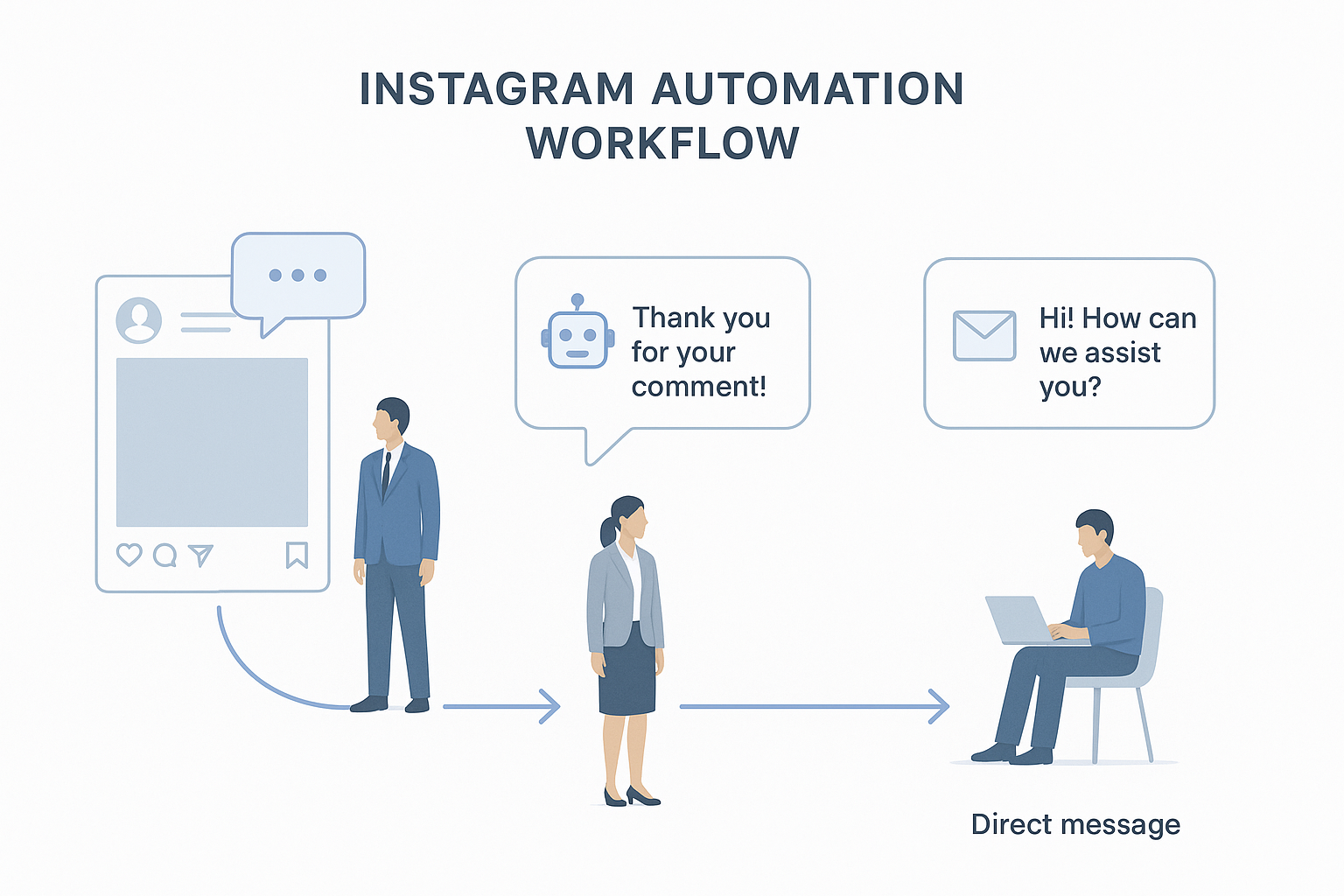
Imagine an e-commerce brand posts a new sunglasses launch. With automation, users who comment "info please" immediately receive a DM with a product guide and discount code. Their response can trigger an email capture, moving them into the sales funnel with zero manual effort. Tools like Zapify make this seamless and GDPR-compliant.
Step-by-Step Automation Workflows
1. Automate Comment Replies
- Identify common questions or purchase signals in post comments.
- Create AI reply templates using Zapify’s AI Comment Replies feature.
- Set rules for instant, on-brand responses—or escalate complex queries to a human agent.
2. Trigger DMs from Comments or Story Interactions
- Choose trigger keywords (e.g., "details", "promo", "enroll").
- Configure the automation to send a targeted DM when the word appears in a comment or story reply.
- Use attachment types—text, images, PDFs, links—to deliver high-value content.
3. Email Capture and Lead Routing
- Build a conversation flow that asks for an email in the DM.
- Validate the email structure within the chat.
- Auto-sync captured leads to your CRM or email marketing platform, such as Mailchimp, Klaviyo, or HubSpot.
4. Manage Multiple Brands or Accounts
- Connect all business accounts using Zapify Multi Account management.
- Assign account leads to different team members for handling customer service, sales, or moderation.
5. Monitor Results and Optimize
- Review engagement and conversation analytics using Zapify’s Analytics dashboard.
- Identify underperforming flows or messages and iterate based on data-driven insights.
Best Practices for Instagram Automation
1. Prioritize Human-Like Interactions
- Use AI tools that can be trained on your brand’s voice and past conversations.
- Always provide an option for followers to speak to a human if needed.
2. Stay Compliant with Meta's Guidelines
- Only use platforms that are Meta API-approved—never share your Instagram password with third-party bots.
- Regularly review Meta’s Developer Policies and the Instagram Help Center to ensure compliance.
3. Personalize and Segment
- Segment audiences based on intent, engagement, or campaign source.
- Use personalized greetings, product recommendations, or follow-ups to build stronger relationships.
4. Test, Analyze, Improve
- A/B test different DM flows, message timing, and keywords to optimize conversion rates.
- Use analytics to refine strategy, focusing on what drives real business outcomes.
Common Mistakes to Avoid
- Using Unauthorized Tools: These can result in shadowbans or account shutdowns.
- Spammy Messaging: Avoid sending irrelevant or excessive messages—this frustrates followers and raises spam complaints.
- No Human Backup: Automation without escalation options leaves complex customer needs unmet.
- Neglecting Performance Data: Failing to check analytics means missed opportunities to optimize your automation.
- Poor Keyword Selection: Vague or ambiguous trigger words can fire unintended automations.
Zapify vs. Other Instagram Automation Tools
Key Differences
- AI Context & Language Quality: Zapify’s AI delivers context-aware, human-sounding replies—reducing customer confusion.
- Lead Management: Built-in CRM and easy email capture—no messy manual export required.
- Team Collaboration: Assign roles, manage workflows, and handle complex customer journeys as a team.
- Multi-Account Simplicity: Manage unlimited brands or client accounts from one secure dashboard.
- Deeper Analytics: Zapify offers action-focused analytics instead of generic metrics.
- Flexible Pricing: Transparent, scalable plans for businesses, agencies, or solopreneurs. See Zapify Pricing.
When Should You Choose Zapify?
- When you want advanced, AI-powered automation that follows Instagram rules
- When you need to capture and route leads directly from DMs
- When managing multiple accounts and team permissions matters
- When deep analytics and workflow management are crucial for ROI
Instagram Automation for Business Use Cases
Ecommerce
Automate product info delivery, recover abandoned carts, and run pop-up DM promotions. Collect emails and segment leads for retargeting campaigns.
SaaS & Tech Companies
Offer demo booking via DM, auto-qualify leads, handle product FAQs, and support onboarding with sequential messaging.
Agencies & Consultants
Manage multiple client accounts, standardize engagement playbooks, and use collaboration tools to deliver high-efficiency support.
Local Businesses
Automate appointment bookings, send instant location info, capture reviews, or remind clients about ongoing promotions directly via Instagram.
Creators, Coaches, Course Sellers
Monetize engagement by automating enrollment, upsell offers, or content delivery for subscribers or students—directly through Instagram DMs.
FAQs
Find more answers in our Zapify Blog or Contact Us if you have specific use-case questions.

Conclusion
Instagram automation, when powered by the Meta API and enhanced by AI, radically transforms how businesses convert engagement into growth. The right tool—like Zapify—empowers you to automate compliant, high-impact workflows across comments, DMs, and analytics. Start with a free trial to explore how automation can drive your business forward.
Zapify Team
The Zapify team shares product updates, strategy breakdowns, and tips for scaling your Instagram presence with AI automations.