Instagram Comments to Direct Messages: The Complete Automation Guide
Learn proven strategies and workflows to automate Instagram comment replies to DMs for lead generation, engagement, and business growth.






If you're looking to capture leads, enhance customer engagement, and streamline your Instagram workflow, automating the process of sending comment responders directly into Instagram Direct Messages (DMs) is an absolute game-changer. Harnessing Meta's official APIs and powerful AI tools, business owners, marketers, and agencies are transforming how they connect with followers—at scale.
In this comprehensive guide, we'll break down everything you need to make the comments-to-DM automation work for your brand. Whether you're just starting or wanting to upgrade your funnel with advanced integrations and AI, this article is your practical field manual.
Quick Answer: How Does Instagram Comments-to-DM Automation Work?
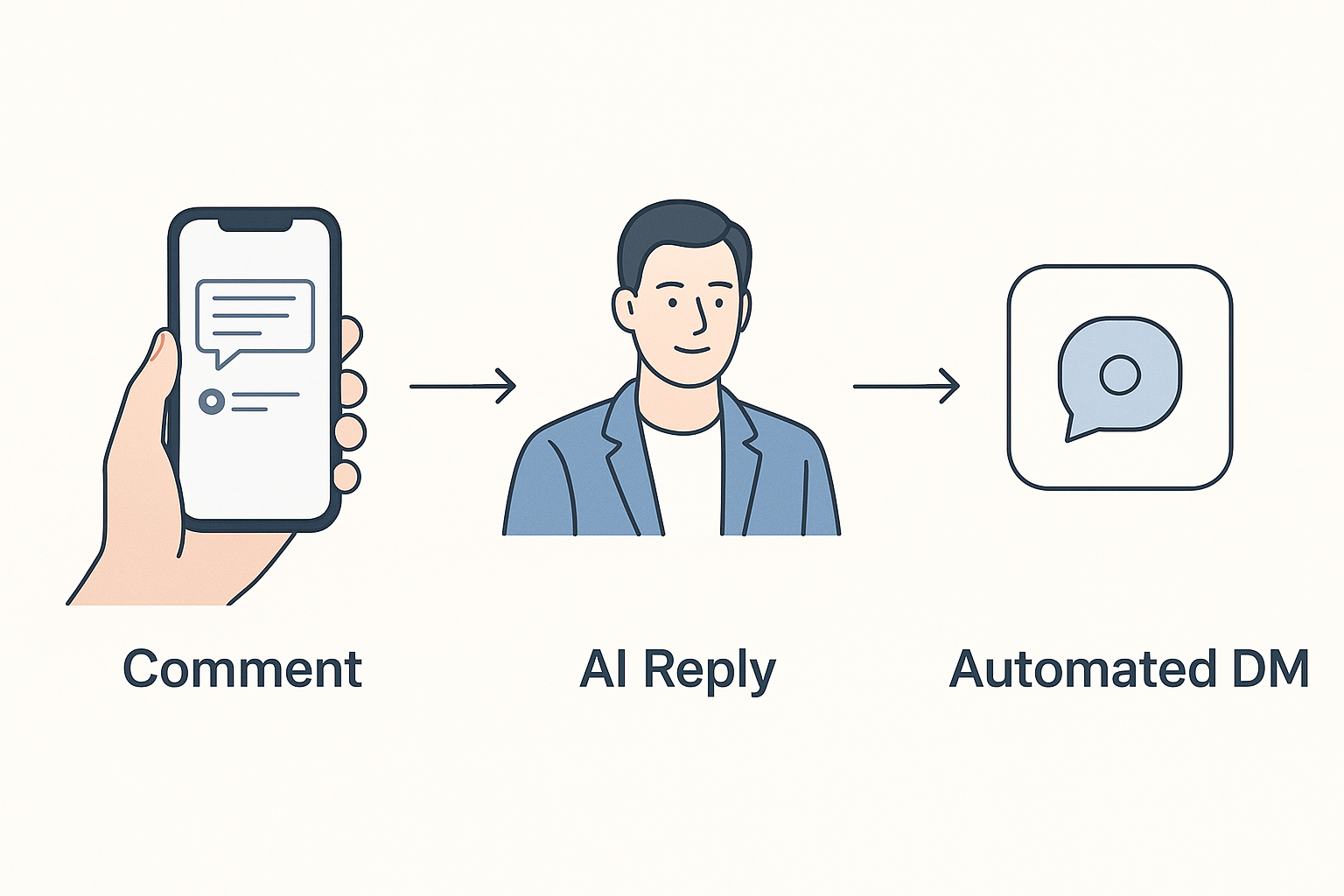
Instagram comments-to-DM automation uses Meta-approved tools to monitor post comments. When someone comments on your Instagram post or Reel, the automation instantly triggers a personalized direct message—often leveraging AI—to start a private, relevant conversation.
- Capture leads and drive sales by converting public commenters to warm prospects in your DMs.
- Save time with instant engagement and consistent replies, even at high volumes.
- Comply with Meta policies by using official APIs and approved automation platforms like Zapify.
Why Automate Instagram Comments to DM?
Modern Instagram is more than likes and hearts—it's a true communications platform. Here’s why automation consistently outperforms manual outreach:
- Speed: Your window to engage is short. Automation gets messages delivered instantly after a comment—manual replies can't match this pace at scale.
- Personalization: Advanced automation (especially with AI) tailors every DM to the context of the comment—without sounding robotic.
- Lead Generation: Capture leads directly into your sales pipeline with seamless email capture, coupon delivery, or gated content—all from a single Instagram comment.
- Compliance: Staying within Meta's platform policies is crucial. Official API solutions like Zapify ensure your automation won't risk account restrictions.
Who Should Use Comments-to-DM Automation?
This workflow is powerful for diverse audiences:
- Ecommerce brands: Nurture shoppers, answer product questions instantly, or send discount codes based on engagement.
- Agencies and marketers: Deliver more value to clients through improved lead capture and reporting.
- Coaches, consultants, and creators: Offer free resources or sign-ups for events directly from comments.
- Local businesses & services: Respond with appointment prompts, directions, or support in DMs without manual overhead.
- SaaS brands: Auto-qualify and push leads into your CRM, all from Instagram engagement.
Step-by-Step: Setting Up Instagram Comments-to-DMs
- Choose a Meta-approved automation platform. Ensure your tool uses Instagram’s official APIs for compliance and data security. Zapify is fully approved and trusted by businesses worldwide.
- Connect Your Instagram Business Profile. Instagram automation only works for business or creator accounts linked to a Facebook Page.
- Authorize permissions. Grant the platform access to manage your comments, messages, and audience engagement features.
- Set your automation workflow. Define trigger keywords (e.g., “Info,” “Deal,” “Download”), select posts or Reels, and customize your DM templates for maximum relevance.
- Optionally, use AI-powered replies. Leading tools like Zapify leverage AI to generate context-aware, humanlike first responses—boosting engagement rates organically.
- Test before going live. Comment as yourself from a different account, verify the DM triggers and personalization are correct, and check for compliance with Instagram's Messenger API guidelines.
Automated Workflow Example
A customer comments “Interested!” on your new product announcement post. Instantly, they receive an Instagram DM: “Thanks for your interest! Would you like more details, a demo link, or today’s special pricing?” The follow-up journey is now 1:1 and private, ready for further automation (email capture, CRM sync).
Best Practices for Comment Automation
- Personalize— Use the commenter’s name and reference their comment in your first DM. This reduces the chance of being marked as spam and increases reply rates.
- Keyword segmentation— Set up trigger words or phrases for different CTAs so each commenter gets a tailored message.
- Comply with Meta guidelines— Only automate messaging for users who initiate by commenting, and always offer a clear way to opt out.
- Follow up— Use multi-step automations to send reminders or additional value if the user doesn't reply after X hours.
- Review analytics— Tools like Zapify Analytics help you optimize with real-time open, click, and conversion rates.
Common Mistakes in Instagram Automation
- Generic or spammy replies— Avoid generic phrasing; use AI or advanced templates for unique DMs per campaign.
- Missing opt-outs— Not providing an opt-out or unsubscribe option could violate Instagram's messaging rules.
- Trigger overload— Don’t set too many trigger keywords on the same post; it may confuse users and dilute campaign effectiveness.
- Manual monitoring— Relying on manual triggers is not scalable for growing accounts—automation is designed to help you scale with confidence.
Feature Comparison: Manual vs. Automated Workflow
Manual Engagement
- Hours spent monitoring comments and sending DMs
- Inconsistent brand voice and message timing
- High risk of missed leads and late replies
- Operational overhead rises with audience growth
Automated with AI and Meta APIs
- Messages sent within seconds, 24/7
- Guaranteed consistency, personalization, and compliance
- Instant lead capture and CRM integration
- Scales from hundreds to millions of followers with no hiring needed
Real-World Use Cases and Examples
1. Ecommerce Product Launches
Trigger exclusive coupon codes to early-bird commenters or share a quick-buy link right in the DMs.
2. Webinar and Event Signups
Prompt followers to register instantly—simply by commenting “Join” on your event announcement Reel.
3. Content Upgrades and Lead Magnets
Offer a free ebook, guide, or checklist for those who comment “Send,” seamlessly capturing their email for your CRM pipeline.
4. Customer Support and FAQ Automation
Resolve basic support questions with instant DMs, then hand over to a live agent for complex cases—optimizing both speed and satisfaction.
5. Influencer Campaigns
Enable influencers to drive their audiences to exclusive DMs for affiliate codes, feedback, or survey participation instantly.
Advanced Tips: AI, Keywords, Lead Capture
- AI-powered conversations— Use platforms that leverage AI to provide natural, human-like first responses and even answer basic queries automatically.
- Keyword automations— Set up campaign-specific keywords to trigger different DMs (e.g., “Pricing” for product info, “Apply” for job postings).
- Email and lead capture— Build instant forms or prompts within DMs that sync leads directly to Mailchimp, HubSpot, or your CRM of choice.
- Multi-account management— If you manage multiple brands, grow each audience with centralized automation and team collaboration permissions (Multi Account Management features in Zapify).
- Analytics and optimization— Evaluate open rates, conversions, and drop-offs to continuously improve DM copy, timing, and workflow.
Measuring Automation Results and ROI
- Response rates— What percentage of commenters reply to your first DM? High rates indicate strong relevance.
- Lead conversions— How many DMs turn into collected emails, downloads, or purchases?
- Time saved— Estimate staff hours replaced by automation each month.
- Customer feedback— Monitor user satisfaction and opt-outs to keep your automation positive and engaging.
Zapify offers a comprehensive analytics suite to track every key metric in your Instagram automation journey.
Why Choose Zapify for Instagram Comments Automation?
- Official Meta API integration— Maximum deliverability and account safety.
- AI comment replies and auto DMs— Industry-leading natural language processing creates engaging, context-aware responses.
- Lead generation tools— Instantly collect emails, sync to your CRM, and qualify leads.
- Multi-account support— Seamless management for agencies, brands, and teams (Team Collaboration).
- Advanced analytics— Make smarter decisions with open, response, and conversion tracking.
- Transparent pricing— Explore Zapify pricing for every stage of business—from starter to scale.
Read more about available features at Zapify Features or get started with a risk-free Zapify free trial today.

Conclusion
Instagram comments-to-DM automation is essential for modern engagement, lead capture, and CRM workflows. By combining Meta-approved APIs, AI, and proven marketing strategies, you can scale conversations and conversions while staying fully compliant. Avoid manual drudgery, missed leads, and inconsistent outreach—start automating for better results today.
Want to experience the next level of Instagram marketing automation? Try Zapify for free or contact our team for a tailored demo.
Zapify Team
The Zapify team shares product updates, strategy breakdowns, and tips for scaling your Instagram presence with AI automations.